

Construction cameras used to be simple — bolt a weatherproof box to a pole and check the footage when something went wrong. In 2026, the category has split into wildly different products at wildly different price points, and the gap between what vendors promise and what actually works on a muddy jobsite is wider than ever.
This guide cuts through the noise. We'll cover every camera type, what AI can actually detect, real costs at every price tier, and how to pick the right system without overpaying for features you'll never use.
The Six Types of Construction Cameras
1. Fixed-Position Cameras
The workhorse. A weatherproof camera mounted on a pole, mast, or building, pointed at a fixed area of your site. Records continuously or on a schedule, uploads to the cloud, and lets you check the feed from your phone.
Best for: Time-lapse documentation, basic security, and progress monitoring on a single area of a site. If you need to watch the main entrance or a critical pour location, a fixed camera does the job.
Limitations: Covers one angle. If something happens outside the frame, you're out of luck. No zoom, no pan — you get what you aimed at.
Cost: Hardware runs $1,000–$3,000. Monthly subscriptions typically $200–$400 including cloud storage and cellular connectivity.
2. PTZ (Pan-Tilt-Zoom) Cameras
Fixed cameras with a brain. PTZ units rotate 360°, tilt vertically, and zoom in tight enough to read a badge number across a jobsite. Most can be controlled remotely from a phone or computer.
Best for: Large sites where you need to cover multiple areas with one camera. Supers love being able to pan across the site from their truck or the office.
Limitations: Only looks at one thing at a time. While you're zoomed in on the north end, you're blind to the south end. Some systems handle this with auto-patrol patterns, but it's a compromise.
Cost: Hardware starts at $4,000+. Monthly subscriptions run $400–$600. Worth it for large, complex sites.
3. Solar-Powered Camera Trailers
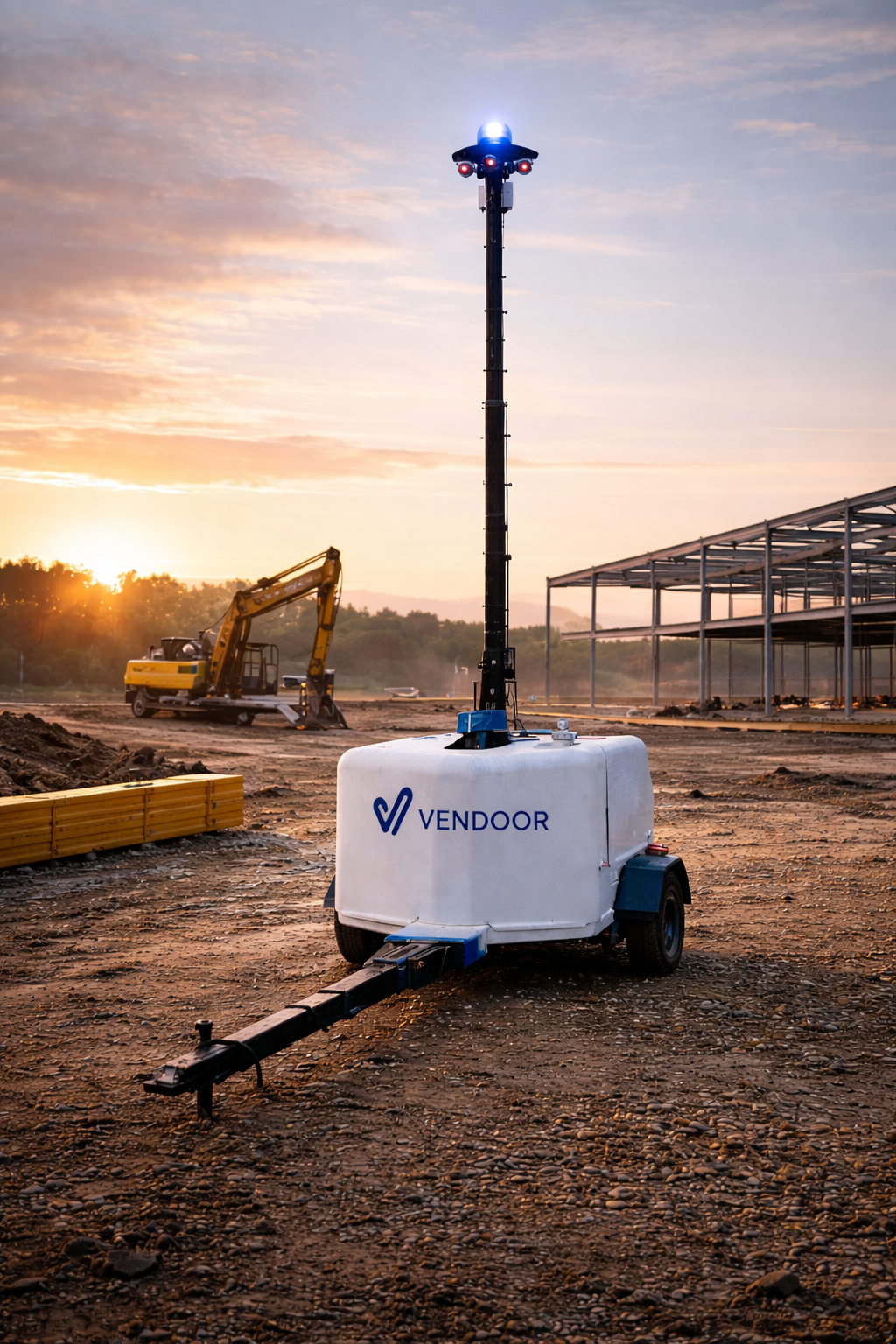
A complete surveillance package on wheels — camera, solar panels, battery bank, cellular modem, and sometimes a light tower, all on a towable trailer. Deploy in under 30 minutes, no wiring, no power connection, no IT department.
Best for: Sites without power infrastructure, remote locations, early-phase projects where permanent mounting isn't practical, and contractors who move between sites frequently. This is the format that changed the economics of construction cameras because it eliminated installation complexity.
Limitations: Higher monthly cost than fixed cameras. Physical footprint takes up space on tight sites. Battery performance degrades in extended cloudy periods, though modern systems carry 5+ days of reserve.
Cost: Monthly rental/subscription runs $1,000–$2,000. Vendoor Vision hits $749/site/month — delivered, installed, maintained, with AI detection included. That's a different price tier than most competitors because it's designed specifically for construction, not adapted from a general security product.
4. 360-Degree Cameras
Capture everything around the camera position simultaneously. Walk the site with one on a pole and you've got a complete visual record of every angle, every direction.
Best for: Interior documentation, quality inspections, and creating virtual walkthroughs. Platforms like OpenSpace and Buildots use 360° capture as the foundation for AI-powered progress monitoring.
Limitations: Not great for security — they're designed for documentation, not surveillance. Resolution gets stretched across the full 360° view, so any single angle is lower quality than a dedicated fixed camera pointing the same direction.
Cost: Consumer 360° cameras start around $500. Construction-grade platforms with AI analysis run $500–$1,500/month.
5. Drone-Based Cameras
Aerial perspective that no ground-based camera can match. Fly a drone over your site and get orthomosaic maps, 3D models, volume calculations, and progress photos from directly above.
Best for: Large sites (10+ acres), earthwork projects where you need volume measurements, and monthly progress documentation for owners.
Limitations: Requires a licensed pilot (or an autonomous flight system, which adds cost). Battery-limited to 20–40 minutes per flight. Weather-dependent. Can't monitor 24/7 — drones capture snapshots, not continuous surveillance.
Cost: Drone hardware runs $2,000–$15,000. Flight services cost $500–$2,000 per visit. Software platforms like DroneDeploy charge $300–$500/month.
6. Time-Lapse Cameras
Dedicated cameras that capture a photo at set intervals — every five minutes, every hour, once a day — and stitch them into a time-lapse video of your project. Not for security. Not for real-time monitoring. Purely for documentation and marketing.
Best for: Owner-facing progress documentation, marketing content, dispute resolution ("when exactly was that wall poured?"), and creating compelling project videos that win future bids.
Limitations: Not real-time. Not security. A time-lapse camera captures a photo every few minutes — it doesn't alert you when someone climbs a scaffold without a harness.
Cost: $99–$400/month depending on capture frequency and cloud storage.
What AI Can Actually Detect (And What It Can't)
AI is the biggest differentiator in construction cameras right now, and it's also where the most overselling happens. Here's what the technology can genuinely do in 2026.
PPE Detection — Real and Reliable
AI-powered cameras detect missing hard hats, safety vests, and other PPE with 95–99% accuracy under good lighting conditions. Hard hat detection specifically hits 99%+ accuracy even in crowded scenes. One deployment showed a 50% decrease in PPE-related infractions within 60 days of installing AI cameras.
This is the most mature AI application in construction cameras. It works. It's been field-tested on major projects by companies like CSCEC, and the accuracy is high enough to be operationally useful.
Unauthorized Access — Effective With Caveats
AI cameras can detect people entering restricted zones, identify unusual after-hours activity, and flag vehicles that don't belong on site. Some systems include license plate recognition that works at speed and at night. "Loiter guard" features detect people lingering in areas where they shouldn't be.
The caveat: false positives happen. Wind-blown debris, animals, and shifting shadows can trigger alerts. The best systems learn over time and reduce false alerts, but expect some noise in the first few weeks.
Equipment and Material Monitoring — Getting Better
AI can track equipment movement, monitor material stockpiles, and flag unauthorized use of machinery. It's most useful for high-value assets — cranes, excavators, generator sets — where the cost of theft or misuse justifies the monitoring.
Progress Monitoring — Real But Requires Context
AI-powered progress monitoring compares what the camera sees against the project schedule or BIM model. Buildots reported 25% faster project completion times using this approach. DroneDeploy's AI agents can generate automated progress reports without human input.
The limitation: the AI needs context. It needs to know what "done" looks like for each trade and each activity. Systems that compare against BIM are more accurate than those relying on general visual analysis.
What AI Can't Do (Yet)
It can't reliably detect fall hazards in real time — it can spot a missing hard hat, but it can't tell if a guardrail meets code height. It can't replace a safety officer's judgment about a complex rigging operation. And it can't make up for poor camera placement — AI is only as good as what the camera can see.
The Real Cost Breakdown
Camera costs have three components, and vendors love to highlight the cheapest one while burying the others.
Hardware
Fixed cameras: $1,000–$3,000 per unit. PTZ cameras: $4,000–$7,000. Solar trailers: typically included in the monthly subscription but represent $15,000–$30,000 in equipment value.
Monthly Subscription
This covers cloud storage, cellular connectivity, remote viewing, and AI processing (if included). Basic fixed camera: $200–$400/month. PTZ: $400–$600/month. Solar trailer with AI: $749–$2,000/month.
Installation
This is where wired systems get expensive fast. Trenching for power and data cables, mounting hardware, electrical connections, and a professional installer can add $2,000–$5,000 per camera. Solar trailers eliminate this entirely — deploy in 30 minutes, no infrastructure required.
Total Cost Example
Two cameras on a 10-month project:
Wired PTZ system: Hardware ($8,000–$14,000) + subscription ($8,000–$12,000) + installation ($4,000–$10,000) = $20,000–$36,000
Solar trailer with AI: Subscription only ($7,490–$20,000) = $7,490–$20,000 — no hardware purchase, no installation cost, no removal cost at project end.
The math usually favors solar trailers for projects under 18 months. For longer projects or permanent facilities, wired systems can be more economical over time.
How to Pick the Right System
Start With the Problem, Not the Product
What are you actually trying to solve?
Theft and vandalism: You need 24/7 surveillance with real-time alerts and visible deterrent (lights, speakers). Solar trailers with AI detection are purpose-built for this.
Safety compliance: You need AI that detects PPE violations and restricted zone breaches. Not all camera systems include this — make sure you're buying detection, not just recording.
Progress documentation: You need consistent capture (time-lapse or continuous) with cloud access for the owner and project team. A fixed camera with good cloud software handles this affordably.
Remote site monitoring: You need solar power, cellular connectivity, and a system that works 200 miles from the nearest IT support. Infrastructure-dependent systems are a non-starter.
Five Questions for Every Vendor Demo
1. What happens when cellular signal drops? Good systems store footage locally and sync when connectivity returns. Bad systems lose the footage.
2. What's the actual AI detection accuracy? Ask for specifics — not "AI-powered" but "97% PPE detection accuracy in field conditions." If they can't give you a number, the AI is marketing, not engineering.
3. Who maintains the hardware? If the camera goes down at 2 AM on a Friday, who fixes it? Some vendors include maintenance in the subscription. Others leave you holding the phone with a customer support queue.
4. What's included in the monthly price? Cloud storage, cellular data, AI processing, software updates, replacement hardware — nail down exactly what you're paying for and what costs extra.
5. Can I see a live demo on an active jobsite? Not a polished video. Not a conference booth. An actual camera on an actual construction site with mud, dust, weather, and real workers. If they can't show you field performance, they haven't proven field performance.
The Integration Question
A camera system that lives in its own silo is useful but limited. The real power comes when your camera feeds connect to your crew management system, your safety platform, and your project documentation.
When the camera sees someone clock in at 6:47 AM and your time tracking system shows the same worker punching in at 6:30 AM, you've just caught a discrepancy that paper timecards would never surface. When the AI detects a PPE violation and your compliance system flags that the same worker's OSHA 10 card expired last month, you've connected two data points that separately mean nothing but together tell a story.
This is where an integrated construction operating system — cameras plus crew management plus compliance — delivers more than the sum of its parts.
The Market in 2026
The construction camera market hit $530 million in 2025 and is projected to reach $760 million by 2030 at a 7.35% growth rate, according to Transparency Market Research. The AI-powered segment is growing much faster, driven by labor shortages that make remote monitoring a necessity rather than a luxury.
The established players — EarthCam, OxBlue, TrueLook, Sensera Systems, Evercam — still hold significant market share, primarily in time-lapse and basic monitoring. The AI-first entrants are capturing the fastest-growing segment: contractors who need detection and alerts, not just recordings.
North America leads the market due to mature digital construction ecosystems and insurance requirements that increasingly mandate jobsite monitoring. The biggest growth is happening in the Middle East and Africa, where massive infrastructure programs are creating demand at scale.
The Bottom Line
Construction cameras in 2026 range from $99/month time-lapse boxes to $2,000/month AI-powered surveillance platforms. The right choice depends on what you need to solve.
If you just need a visual record of the project, a fixed time-lapse camera works fine. If you need to stop theft, enforce safety compliance, reduce site visits, and actually use the intelligence from your cameras to run a better jobsite, you need AI detection on a solar-powered platform that deploys fast and doesn't need your IT team to install it.
See what AI cameras actually look like on a construction site. Vendoor Vision — solar-powered AI camera trailers with PPE detection, unauthorized access alerts, equipment tracking, time-lapse documentation, and on-site WiFi. $749/site/month, delivered, installed, and maintained. See how Vendoor Vision works on real sites →
Sources: Transparency Market Research, Mordor Intelligence, TrueLook, EarthCam, Observia AI, WCCTV, Axle Systems. All statistics current as of February 2026.
Related reading: AI on the Jobsite: What Construction Companies Actually Need to Know | Construction Camera ROI Calculator | Construction Equipment Utilization: Why You're Leaving Money on the Table